Plan
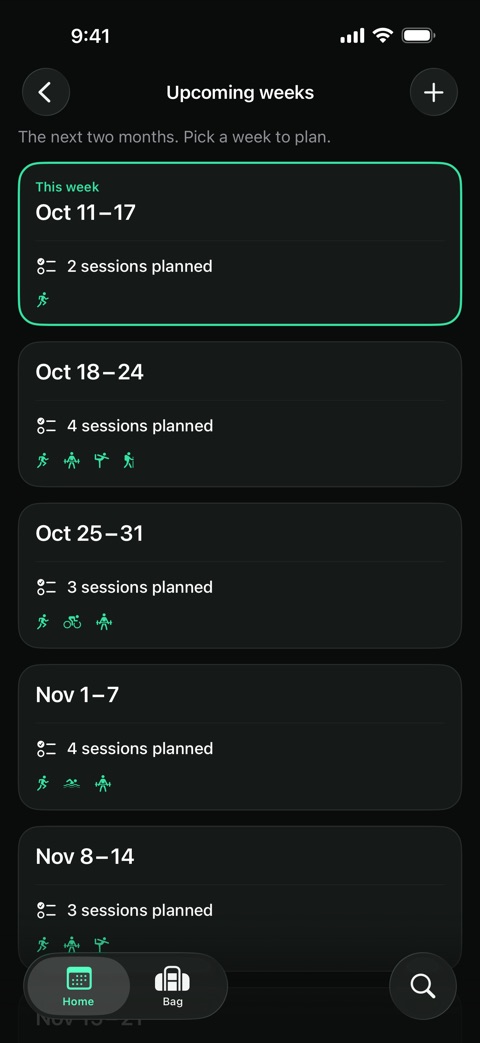
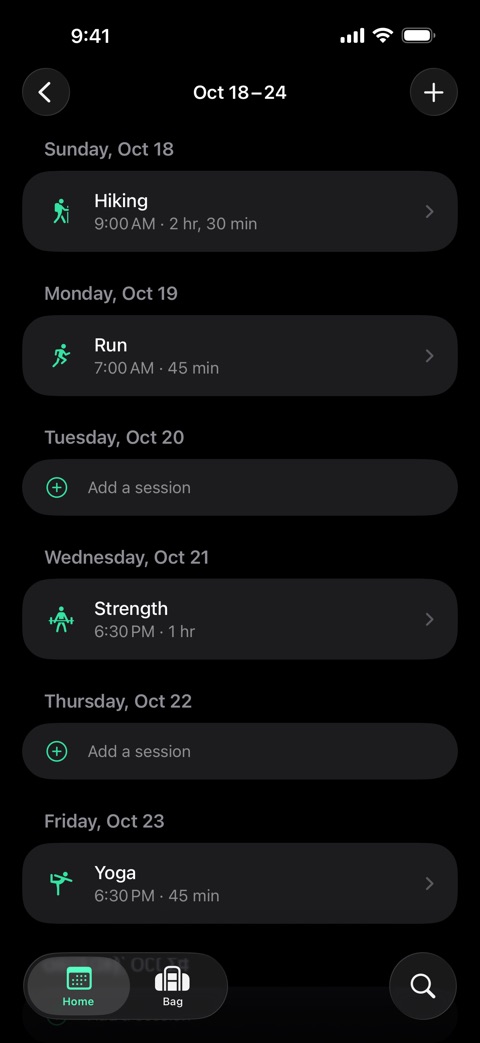
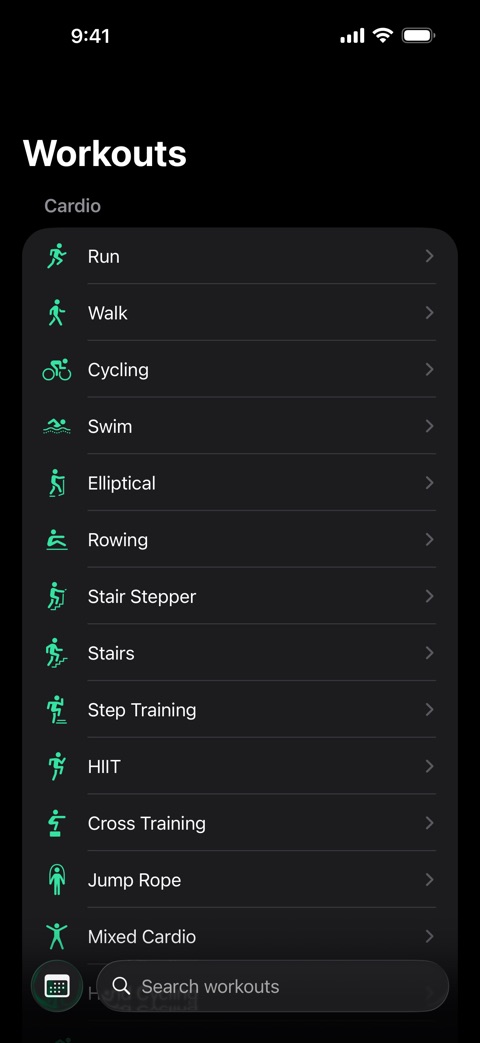
Pick from 81 workout types, then set the day, the start time and how long it lasts. Each session is saved as an event in your own Calendar.
Workout Prep for iPhone
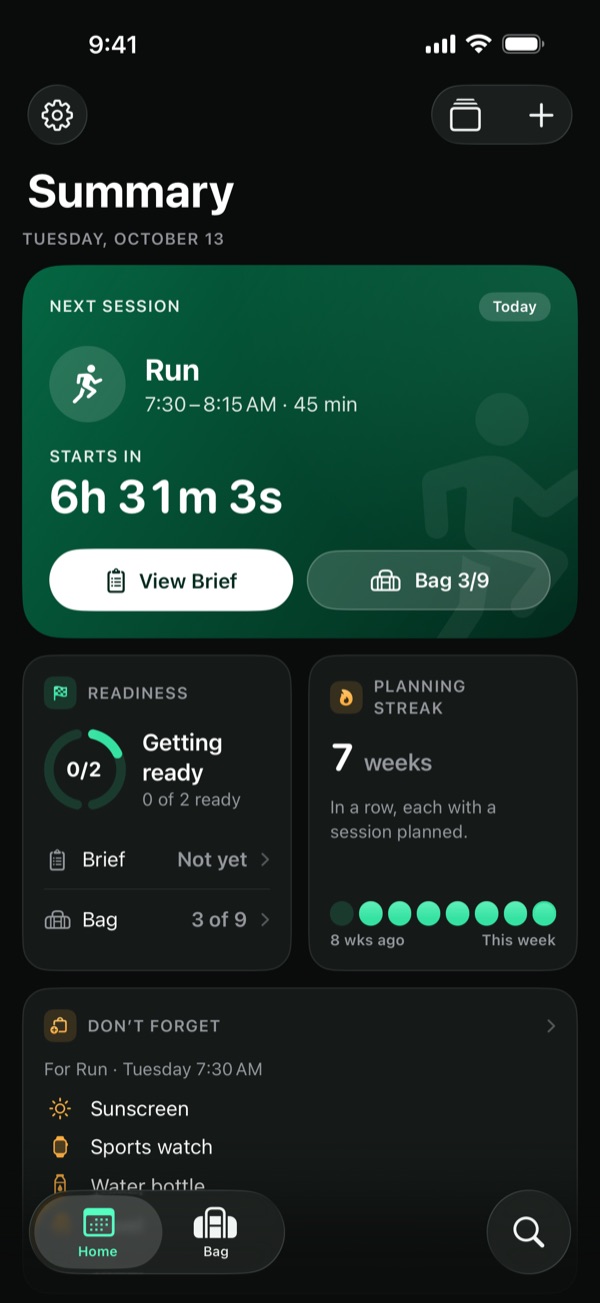
Know when it starts, how to get ready and what to pack. Workout Prep gives every session you plan a countdown, a short prep brief and a packing list.
Coming soon to the App Store
Three steps, all before the first warm-up.
Pick from 81 workout types, then set the day, the start time and how long it lasts. Each session is saved as an event in your own Calendar.
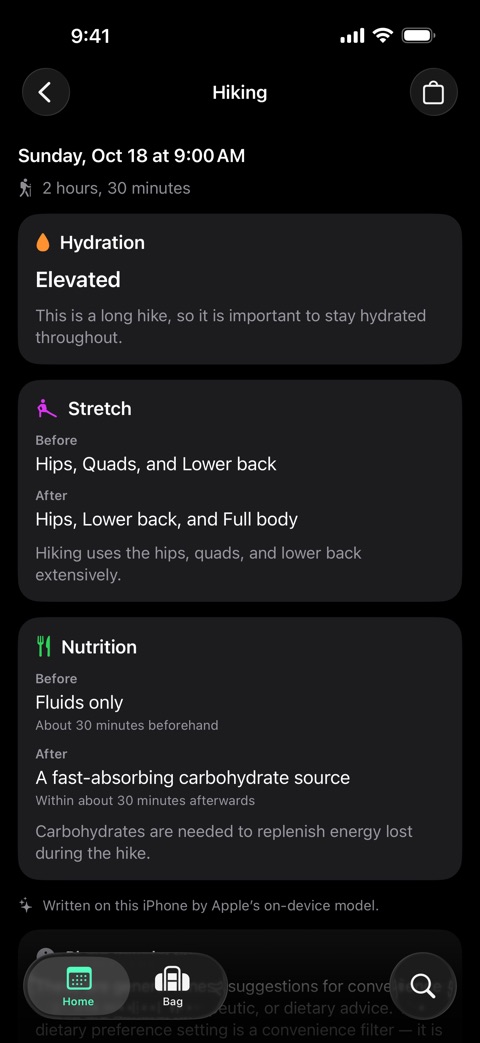
Open the session's brief for hydration, stretching and nutrition, and pack from a checklist suggested for that kind of workout.
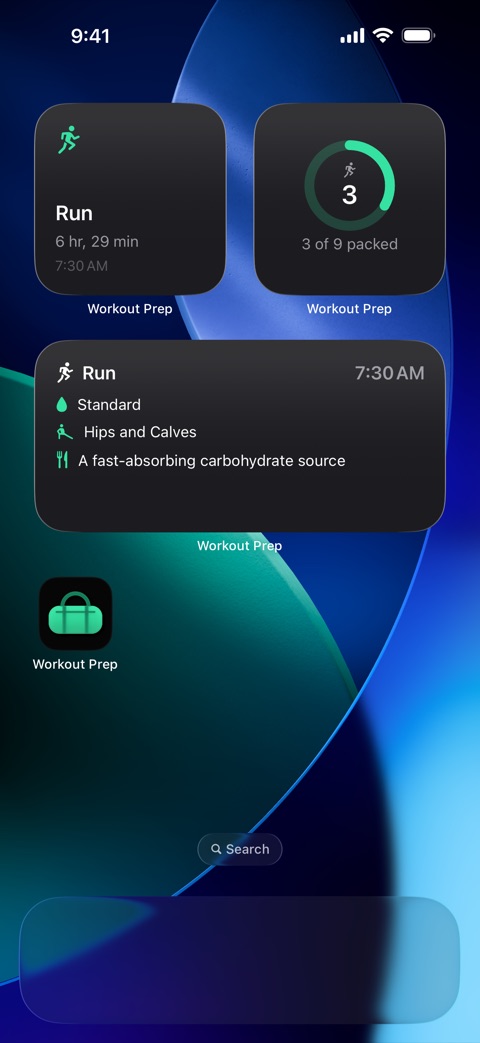
Home counts down to your next session and shows what is still left to pack. Turn on a reminder if you like one, from 15 minutes to 2 hours before.
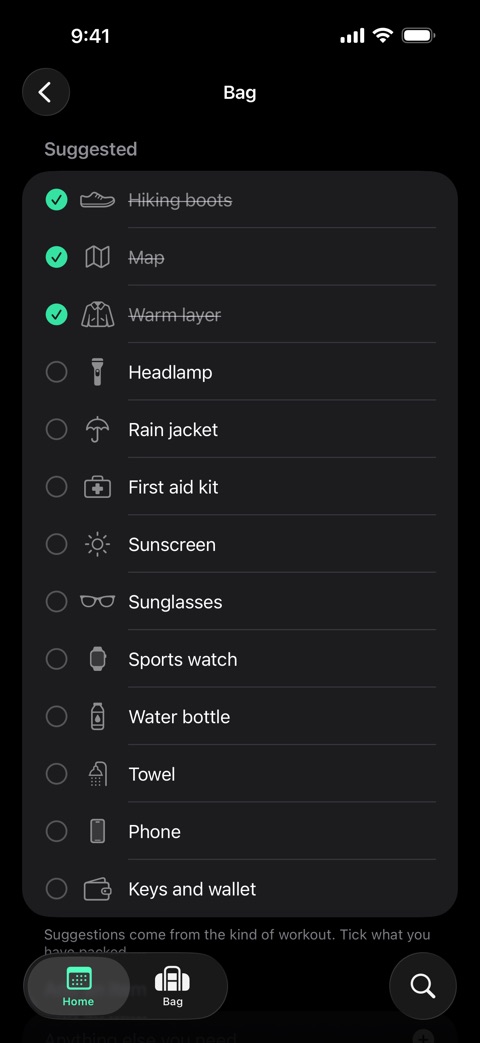
Every session gets a packing list suggested for its workout type. Tick things off as they go in the bag, add your own, and see at a glance how much is left.
This is the list Workout Prep suggests for a run.
Run · Bag
9 of 9 packed
Workout Prep doesn't track your training. It gets you ready for it.
See the coming weeks at a glance and add a session in a few taps. Search 81 workout types, from running and yoga to climbing and tennis.
Short suggestions on hydration, stretching and nutrition, fitted to the workout, its length and its start time.
General fitness suggestions, not medical advice.
Suggested for the type of workout, with your own items added. Your progress shows on Home and in a widget.
Your next session with a live countdown, how ready you are, your planning streak, and the things not to forget.
Your plan lives in your own Calendar, and Workout Prep only touches the events it created. Optional reminders arrive 15 minutes to 2 hours before.
Four widgets: Next Session, Prep Brief, Bag Progress and This Week. Or ask Siri, “What’s my next workout in Workout Prep?”
Real screens from Workout Prep. Swipe or scroll sideways to see them all.
Five good reasons to give it a go.
The countdown, the brief and the bag for your next session sit together on Home. No juggling notes, lists and alarms.
No account. Nothing leaves the app for us. Workout Prep collects no data about you.
A one-time purchase. No subscription, no ads, and nothing to unlock later.
Your plan lives in your own Calendar. Widgets, Siri and optional reminders bring it to you.
When your iPhone supports it, Apple's on-device model writes the brief. When it doesn't, Workout Prep builds it from its own rules. Either way, nothing is sent anywhere.
Workout Prep collects no data about you or your training, and nothing you enter in the app is sent to the developer.
No. Workout Prep has no account and no sign-in, and no server to sign in to.
No. When Apple's on-device model is available, it writes your brief. When it isn't, Workout Prep builds the brief from its own built-in rules. Either way, the brief is made on your device.
No. Workout Prep is a one-time purchase. There is no subscription, nothing to unlock inside the app, and no ads.
On your iPhone and in your own Calendar. Each session is an event in your Calendar, and your settings and packing lists stay on your device. The developer holds none of your app data.
More answers on the support page.
Plan it, prep it, pack it. Workout Prep for iPhone.
Coming soon to the App Store